Five Days of Microsoft AI Models - Day 1
Why Microsoft Builds Its Own
An introduction to Microsoft's MAI models and the places you can use them, why Microsoft builds its own models, and what developers can expect from this five-day series.
For years, if you asked which AI model was behind a Microsoft product, the answer was usually: someone else's. Microsoft built the cloud, the tools, and the products, and very often rented the intelligence.
That has changed, and faster than most people noticed. Microsoft now ships its own family of models, and this month it started bringing them to the PC in front of you. This week I'm going to walk through all of it, one day at a time, as a developer who actually builds with them.
First, the obvious disclosure: I work at Microsoft, as a Principal Developer Advocate. So read this series knowing that. I'll do what I always try to do on stage: tell you what I actually think, including where these models are not the right choice. If I can't say that, the rest isn't worth reading.
Two questions
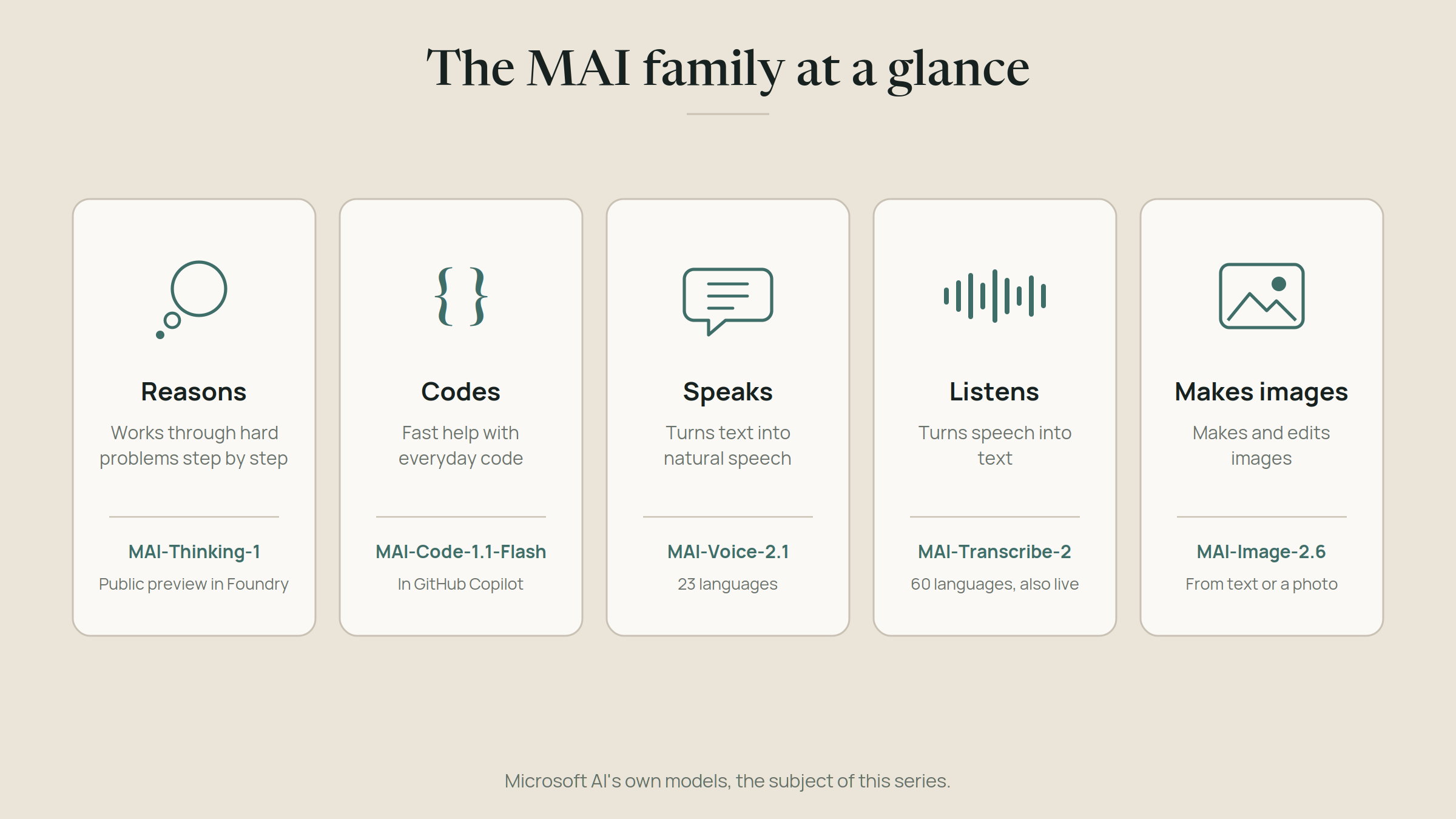
MAI: "Can we build at the frontier ourselves?" MAI stands for Microsoft AI, the division led by Mustafa Suleyman. Its models are hosted in the cloud and built to compete with the best models from other labs. The first ones covered voice, transcription, and images. At Build this June, the family grew to seven models, and it has kept moving fast since. Today the lineup looks like this. MAI-Thinking-1 is Microsoft's first in-house reasoning model, now in public preview in Microsoft Foundry. MAI-Code-1.1-Flash is a small coding model built into GitHub Copilot and Visual Studio Code. MAI-Voice-2.1 speaks, MAI-Transcribe-2 listens, with a new streaming version for live conversations, and MAI-Image-2.6 makes images.
Everywhere else: "Where can I use it?" The second question is newer. Until recently, MAI models were something you called in Microsoft's cloud. Now they're reaching you where you already work: in GitHub Copilot, through gateways like Vercel's AI Gateway and OpenRouter, and, as of October 7, on the PC itself, with Microsoft's hybrid intelligence for Windows.
Together those two questions are the story of this week. The models, and then the doors to them. I'll cover the first on Days 2 and 3, the second on Day 4, and put them together on Day 5.
Why build your own at all?
Microsoft could keep renting. It has strong partnerships, and Microsoft Foundry, its platform for building AI applications, already offers models from OpenAI, Anthropic, Meta, Mistral, and many others. So why spend the effort?
The way I read it, there are three reasons, and they're the same reasons any developer should care about.
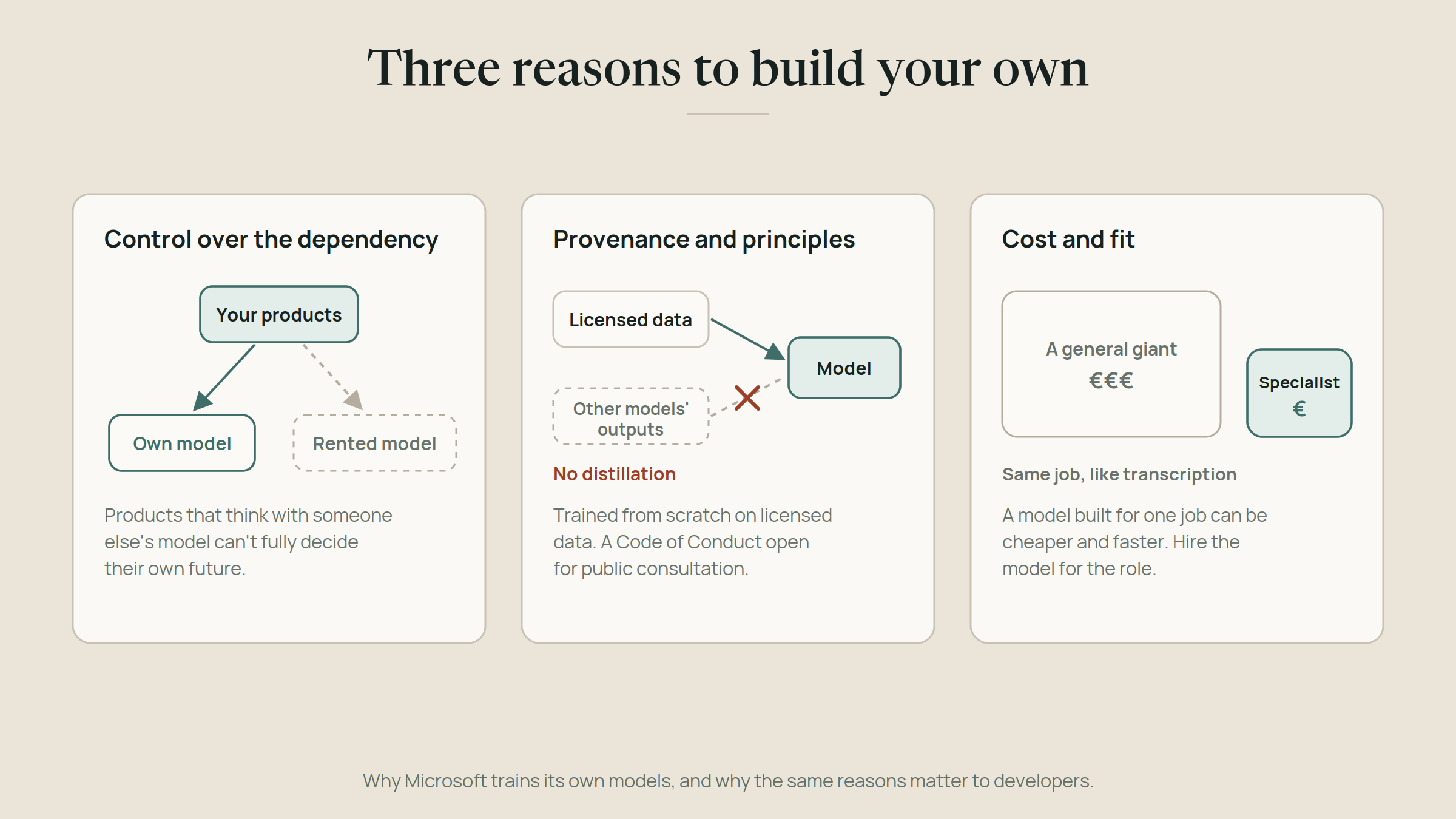
Control over the dependency. A company whose products think with someone else's model has the exact problem I wrote about in my post on owning your weights: it can't fully decide its own future. Building in-house is Microsoft keeping the ability to leave, at the scale of a whole company.
Provenance and principles. Microsoft says the MAI models were trained from scratch on licensed data, with no distillation, meaning they weren't trained by copying the outputs of other labs' models. For enterprises that need to know where a model came from before they bet on it, that's not a detail. It's often the deciding question. And Microsoft AI has put a Code of Conduct for its models up for public consultation, which is an unusual step: asking outsiders to weigh in on how your models should behave, before you finalize it.
Cost and fit. A model built for a specific job, like transcription or fast code completion, can be much cheaper and quicker than a general giant doing the same job. That's the same idea I use in my own agent newsroom: hire the model for the role.
What's coming this week
Day 2: MAI-Thinking-1 and MAI-Code-1.1-Flash. The reasoning model and the coding model. What they're good at, and what "mixture of experts" actually means.
Day 3: The senses. MAI-Voice-2.1, MAI-Transcribe-2, and MAI-Image-2.6. The models that let your apps listen, speak, and see, and the ones you've probably already used without knowing it.
Day 4: The models come to your tools. Foundry, GitHub Copilot, gateways like Vercel and OpenRouter, and hybrid intelligence on Windows: the different doors to the same models.
Day 5: Putting it together. A design that uses several of these models side by side, and a guide to choosing.
One promise for the whole week: I'll separate what Microsoft claims from what's independently measured, and tell you where I'd use each model and where I wouldn't. Announcements are the happy path. The interesting part is always what happens when you actually try it, so every day ends with a way to try it yourself.
See you tomorrow.
Pass it on
Share this article
Read next