Five Days of Microsoft AI Models - Day 2
Thinking and Coding
A developer's look at MAI-Thinking-1 and MAI-Code-1.1-Flash: reasoning, mixture of experts, everyday coding, and building for model changes.
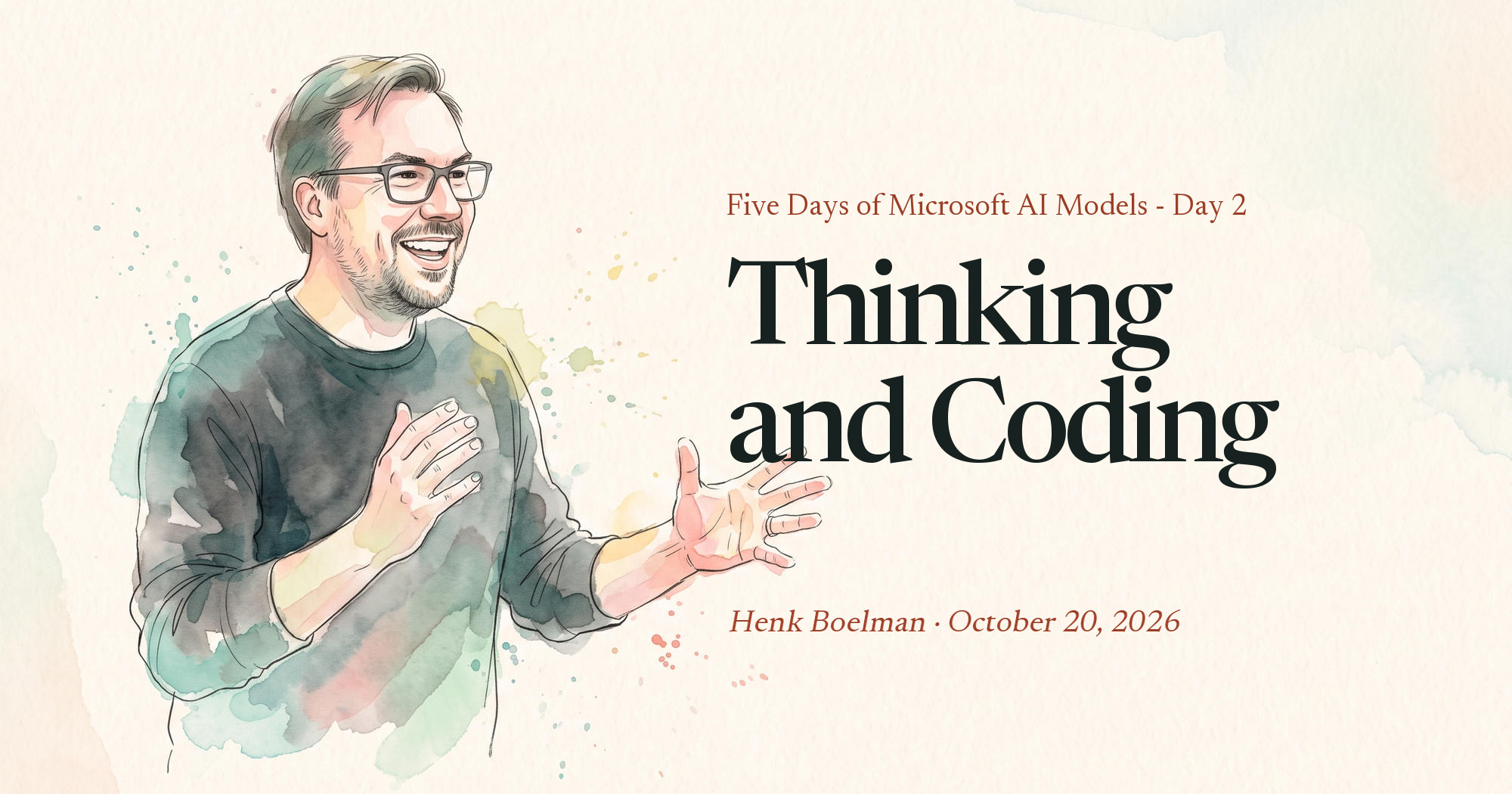
Yesterday I introduced the two questions behind this series. Today we start with the models developers will touch most: the one that reasons, and the one that writes code.
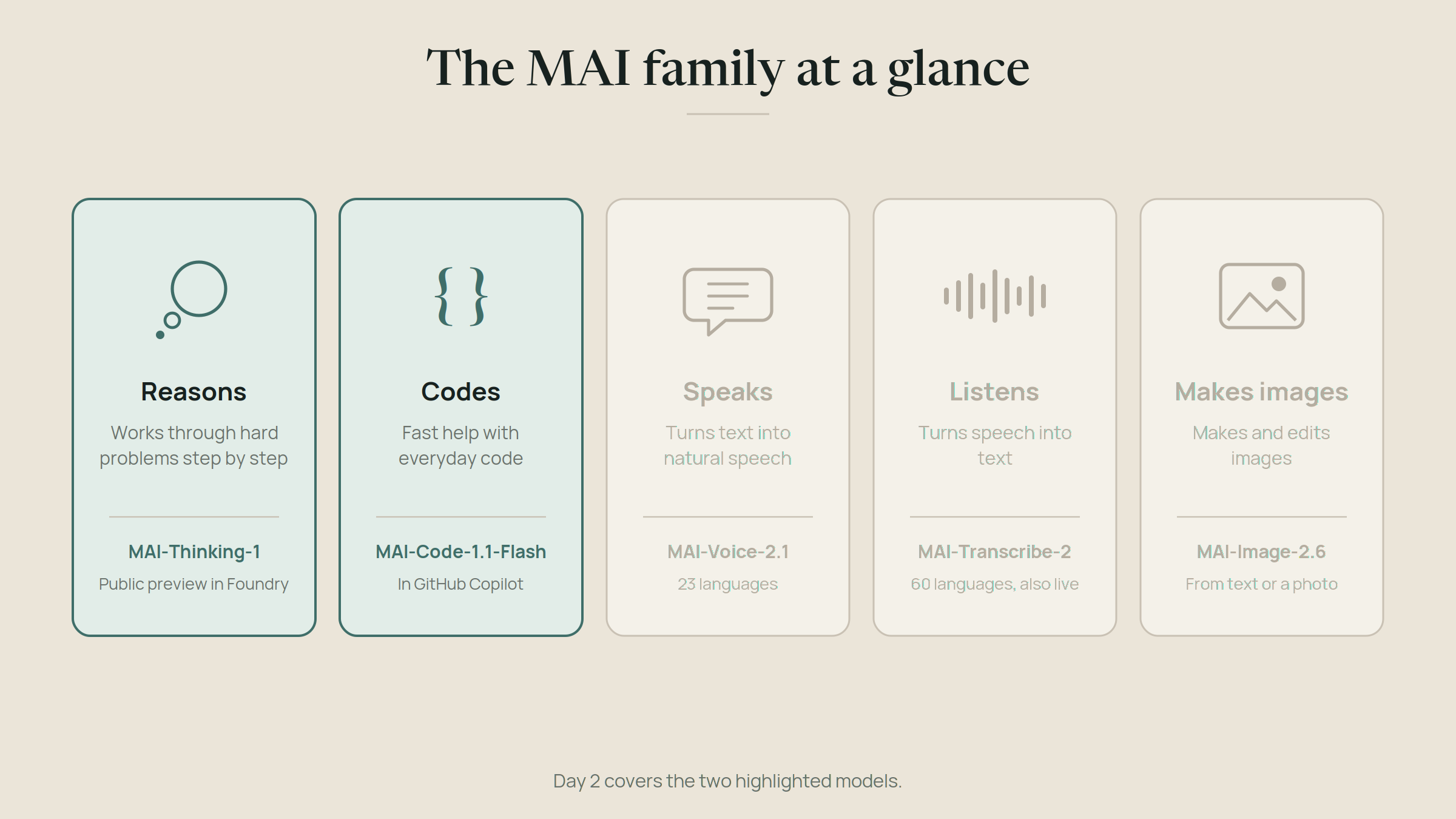
MAI-Thinking-1: the reasoning model
MAI-Thinking-1 is Microsoft AI's first reasoning model. A reasoning model doesn't answer immediately. It works through a problem step by step before responding, which makes it slower and more expensive per question, but much better at math, complex code, and multi-step decisions.
Microsoft describes it as a "medium-sized" model: 35 billion active parameters out of roughly 1 trillion in total. That sentence needs an explanation, because it's the most important design choice in the model.
What "mixture of experts" means
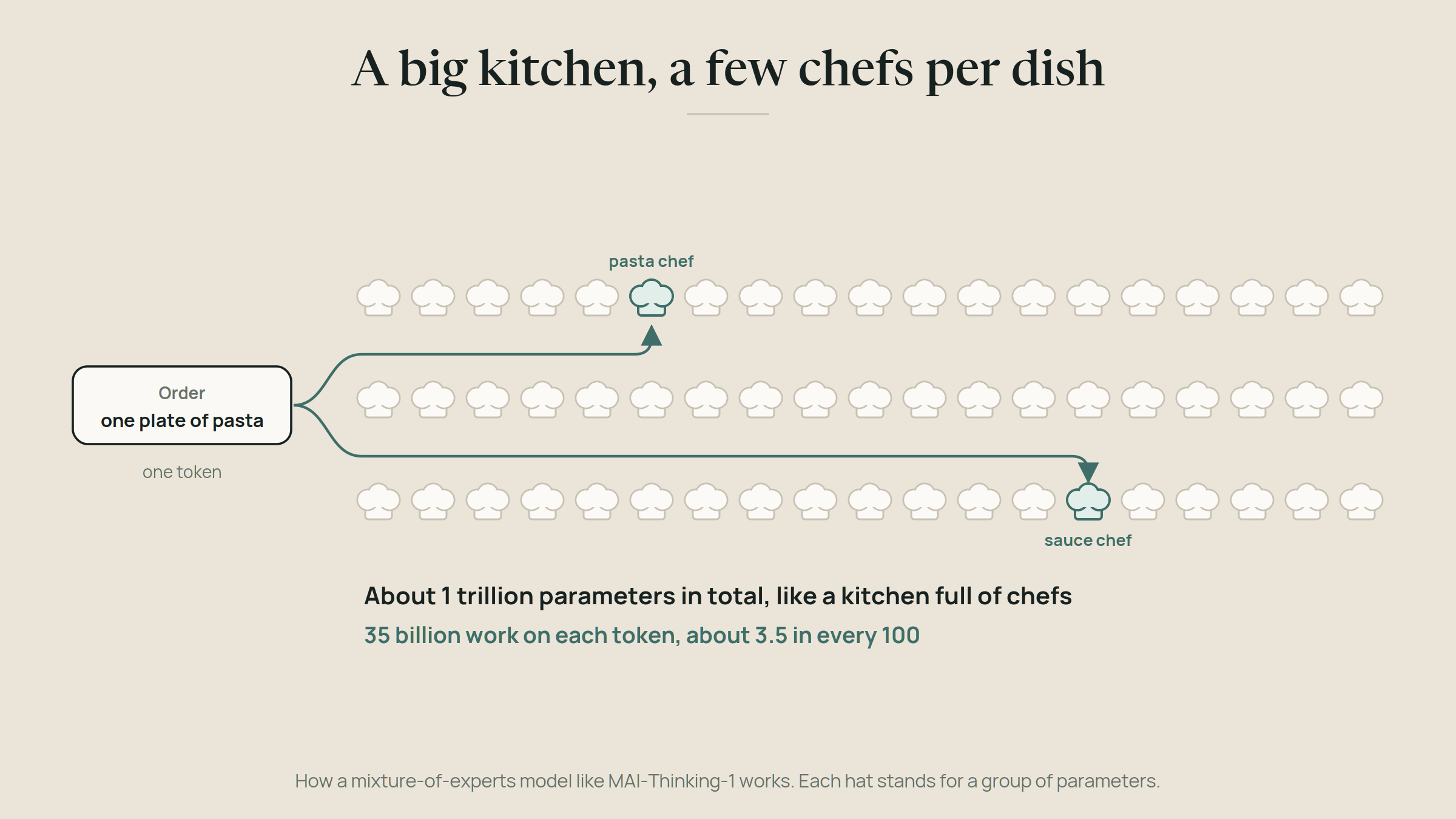
MAI-Thinking-1 is a mixture-of-experts model, usually shortened to MoE. Think of a restaurant kitchen. A huge kitchen with a hundred chefs could cook anything, but you don't need all hundred for one plate of pasta. You need the pasta chef, maybe the sauce chef. An MoE model works the same way: it contains many specialist sub-networks, the experts, and for each piece of text it only activates the few that are relevant.
So the model has the knowledge of a trillion parameters, but each step only costs the compute of 35 billion. That's how a model can be broad and still affordable to run. It's the reason "medium-sized" and "a trillion parameters" can both be true.
What Microsoft claims, and what that means
Microsoft says MAI-Thinking-1 was trained from scratch on licensed data, with no distillation from other labs' models. It reports that the model matches leading models on software engineering benchmarks, and that independent raters at Surge preferred it over Anthropic's Claude Sonnet 4.6 in blind comparisons.
Two notes. First, these are Microsoft's own reported results, and benchmarks are a starting point, not a verdict. Your workload is the only benchmark that matters. Second, Microsoft positions it against mid-sized models, not the very largest frontier models, and says so. I respect that. Positioning a model where it actually competes is rarer than it should be.
MAI-Thinking-1 is now in public preview in Microsoft Foundry, after starting as a private preview at Build in June. You can also try it in the MAI Playground without any setup.
Where I'd use it: tasks where getting the reasoning right matters more than speed. Analyzing long documents, planning steps for an agent, checking work, enterprise cases where knowing where the model's training data came from is a requirement.
Where I wouldn't: quick, high-volume tasks like classification or short replies. A reasoning model thinks before every answer, and you pay for that thinking. Use a smaller, faster model and save the thinker for the hard parts.
MAI-Code-1.1-Flash: the everyday coder
The second model is built for a different job. MAI-Code-1.1-Flash is a small, fast coding model designed for the many small tasks in a developer's day: completions, quick edits, explanations, small agentic steps.
It's built into GitHub Copilot, including VS Code, Visual Studio, the Copilot CLI and GitHub Mobile, and it's also available in Microsoft Foundry. Compared to the version that came before, it adds native vision support, so it can read screenshots, diagrams and designs. GitHub lists it at a 73% lower price than its predecessor, which matters because coding assistants make a lot of calls.
Copilot Free and Student users get it through automatic model selection. Paid plans can pick it manually in the model picker. And it's about to get more homes: Microsoft is bringing this same model to the PC itself, which is Day 4's story.
Where I'd use it: the everyday work. "Turn this screenshot into a component." "Explain this function." "Write tests for this file." Fast and cheap beats brilliant and slow for that kind of work.
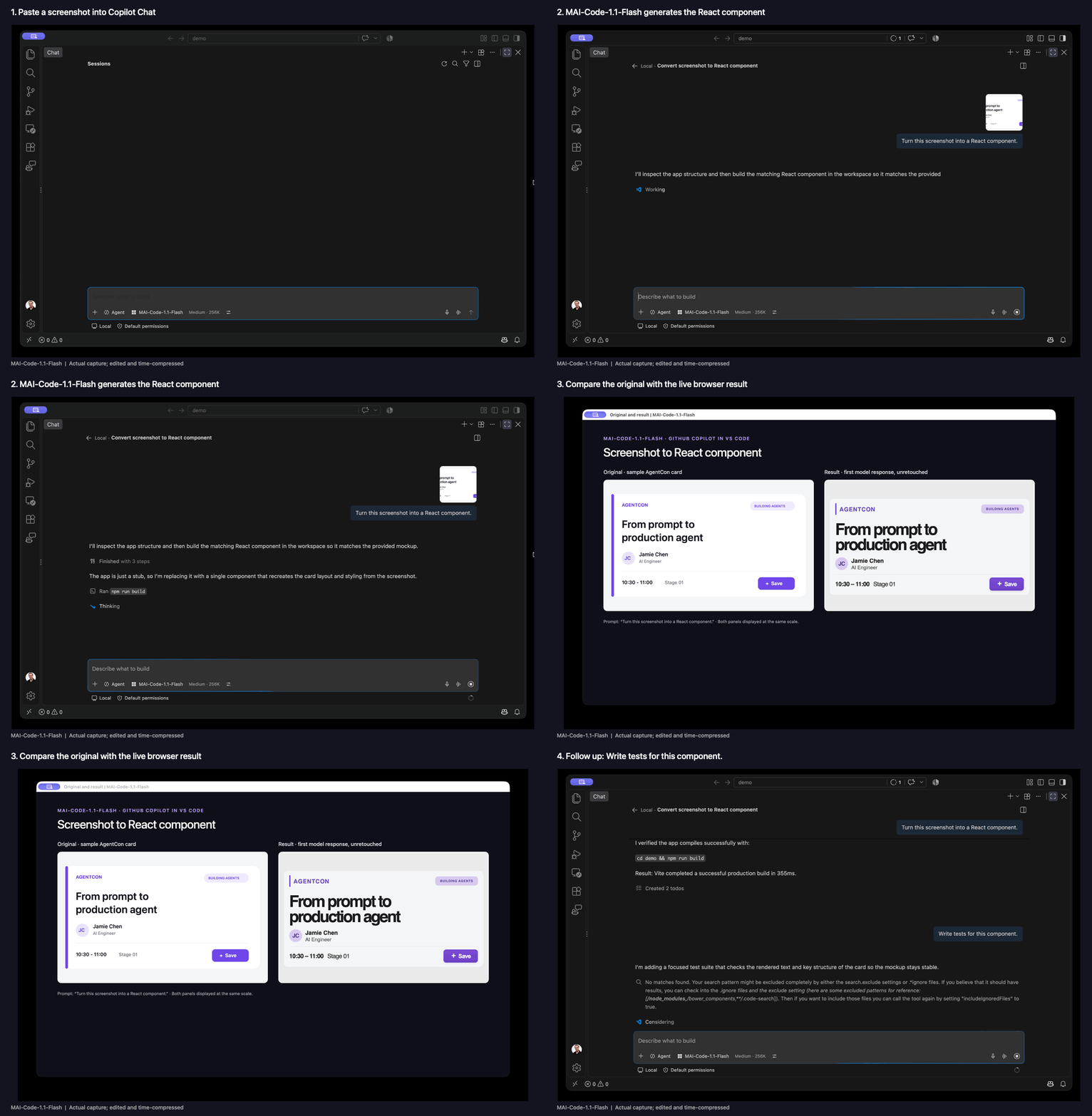
Where I wouldn't: large refactors across a codebase or hard architectural problems. A Flash model is tuned for speed and cost, and Microsoft doesn't position it against the strongest coding models. For the hard tasks, switch to a bigger model in the same picker.
The lesson hiding in the version number
Here's a detail I find more interesting than any benchmark. MAI-Code-1.1-Flash replaced MAI-Code-1-Flash, which GitHub deprecated across all Copilot experiences on September 10, 2026. The original model launched in June. It lasted about three months.
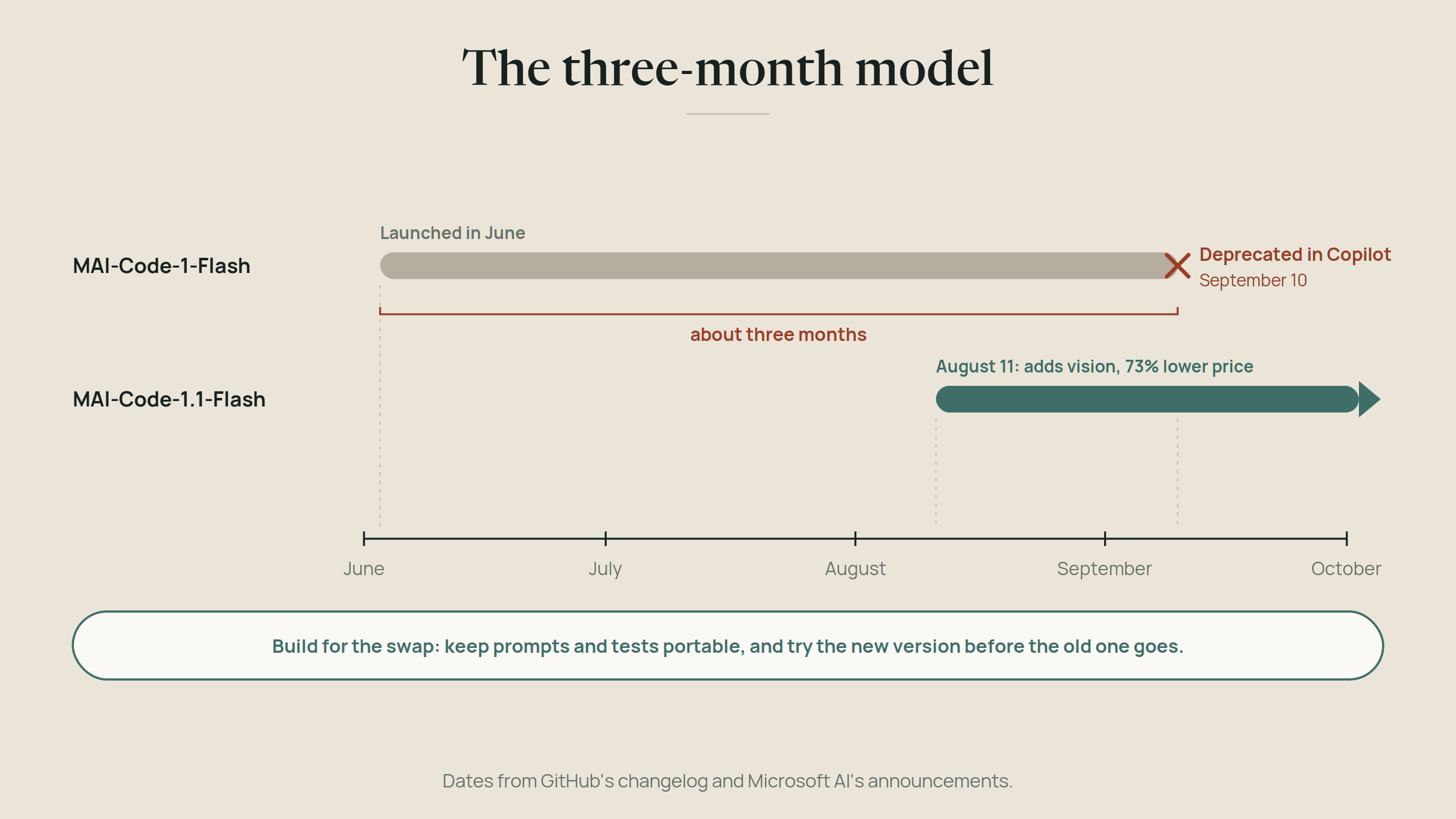
That's not a criticism. It's how fast this field moves, and it's good news when the replacement is better and cheaper. But it's exactly the point of my post about owning your weights: the model you build on today will be replaced, probably within months. If your app hardcodes a model name and has no way to test a replacement, every upgrade becomes a panic.
So build for the swap. Keep your prompts and evaluations portable, and test new versions before the old one disappears.
Try it yourself
The easiest start for both: open the model picker in GitHub Copilot and select MAI-Code-1.1-Flash for a day of normal work. Then try MAI-Thinking-1 in the MAI Playground with a problem you actually have, something with a few steps, and compare its answer to the model you normally use.
Tomorrow: the models that let your apps listen, speak and see.
Pass it on
Share this article
Read next